See how Defensible Records works
Dated Zone 0 photo records for every home in a community, collected from homeowners and organized for community managers, without anyone walking every lot.
The photo app works best in Safari or Chrome on your phone.
Three steps, no site visits
- 1
Homeowners get a link
They take 15 guided photos of the first 5 feet around their home in about 10 minutes, right from their phone. No app to install.
- 2
Every photo is checked
Each photo gets an automatic quality check for light and sharpness, so blurry or dark shots are retaken on the spot.
- 3
You get the records
Managers get a dashboard, automatic reminders for homes that haven't submitted, and dated records to share with boards and insurers.
A guided walk around the house
Illustration Phone screens are design mockups; photos inside them are AI-generated illustrations, not a real property.
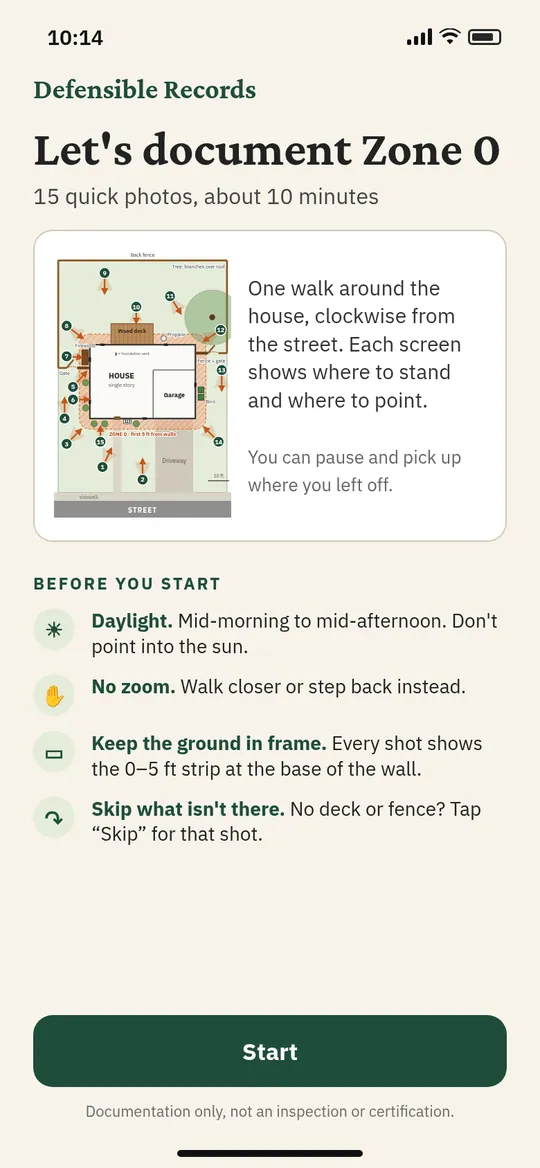
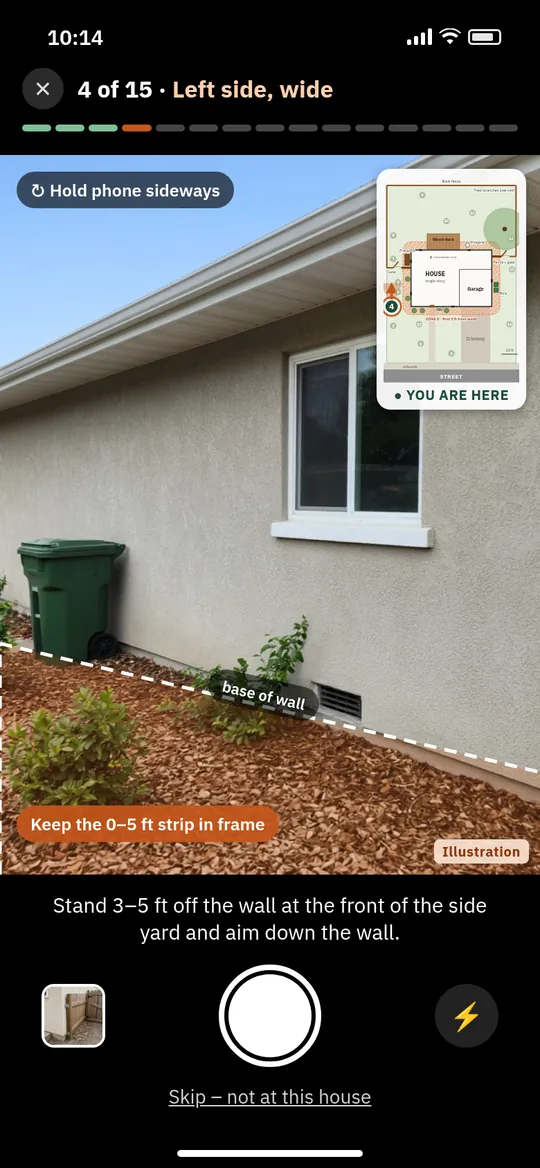
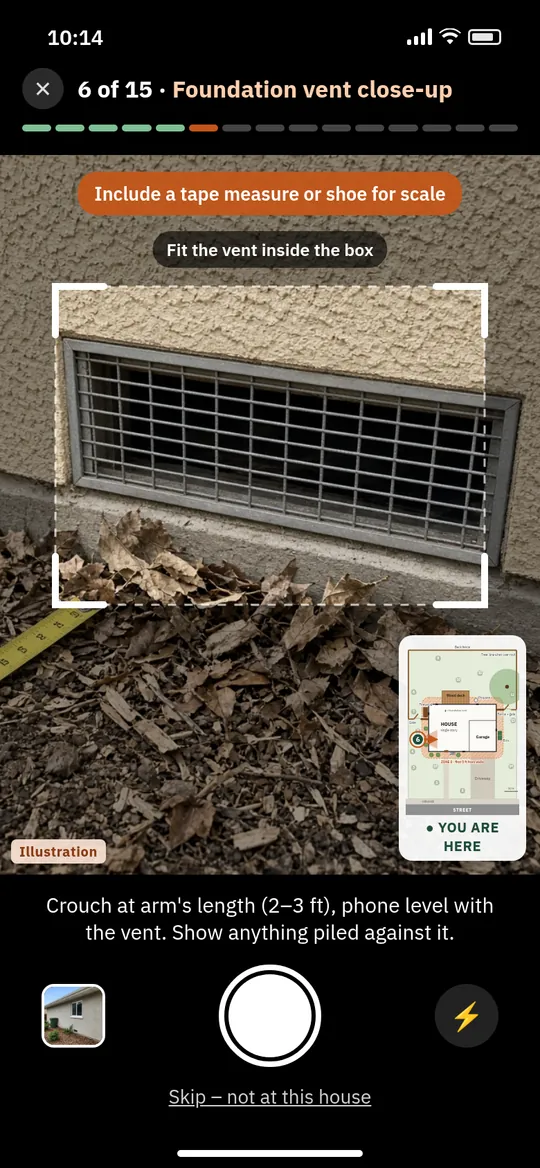
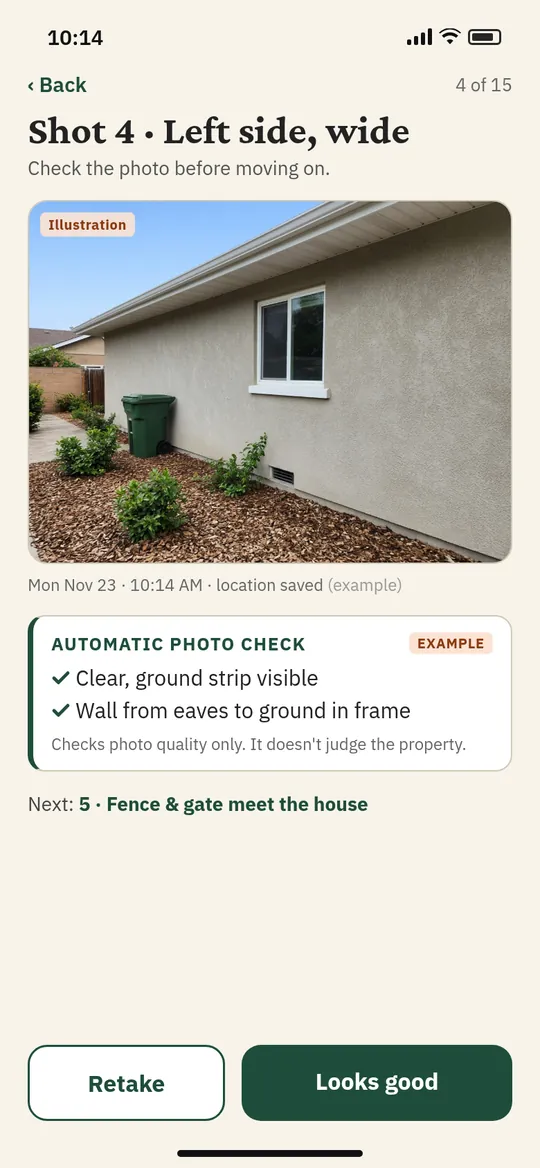
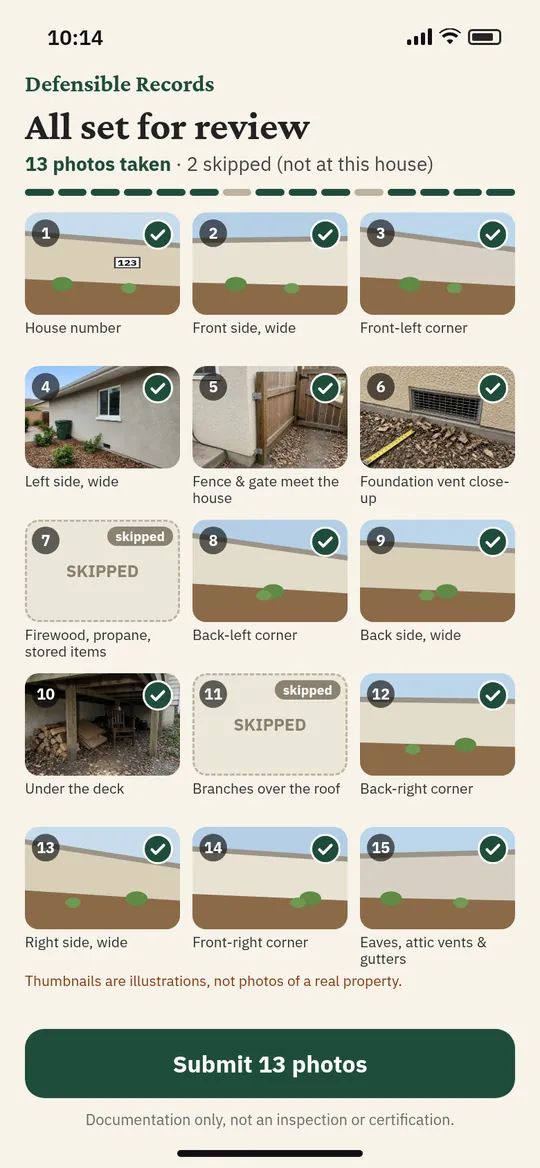
The same 15 shots at every home
Homeowners follow one walk around the house, clockwise from the street: house number, each side of the 0–5 ft strip, the corners, fences and gates that meet the house, vents, the deck, branches over the roof, and the gutters. Consistent angles make records easy to compare from year to year.
Works best in Safari or Chrome on your phone. Photos you take in the demo stay on your phone.
A dated, board-ready record
Example report – sample data A fictional community, shown so you can see the format. Not a real customer or real figures.
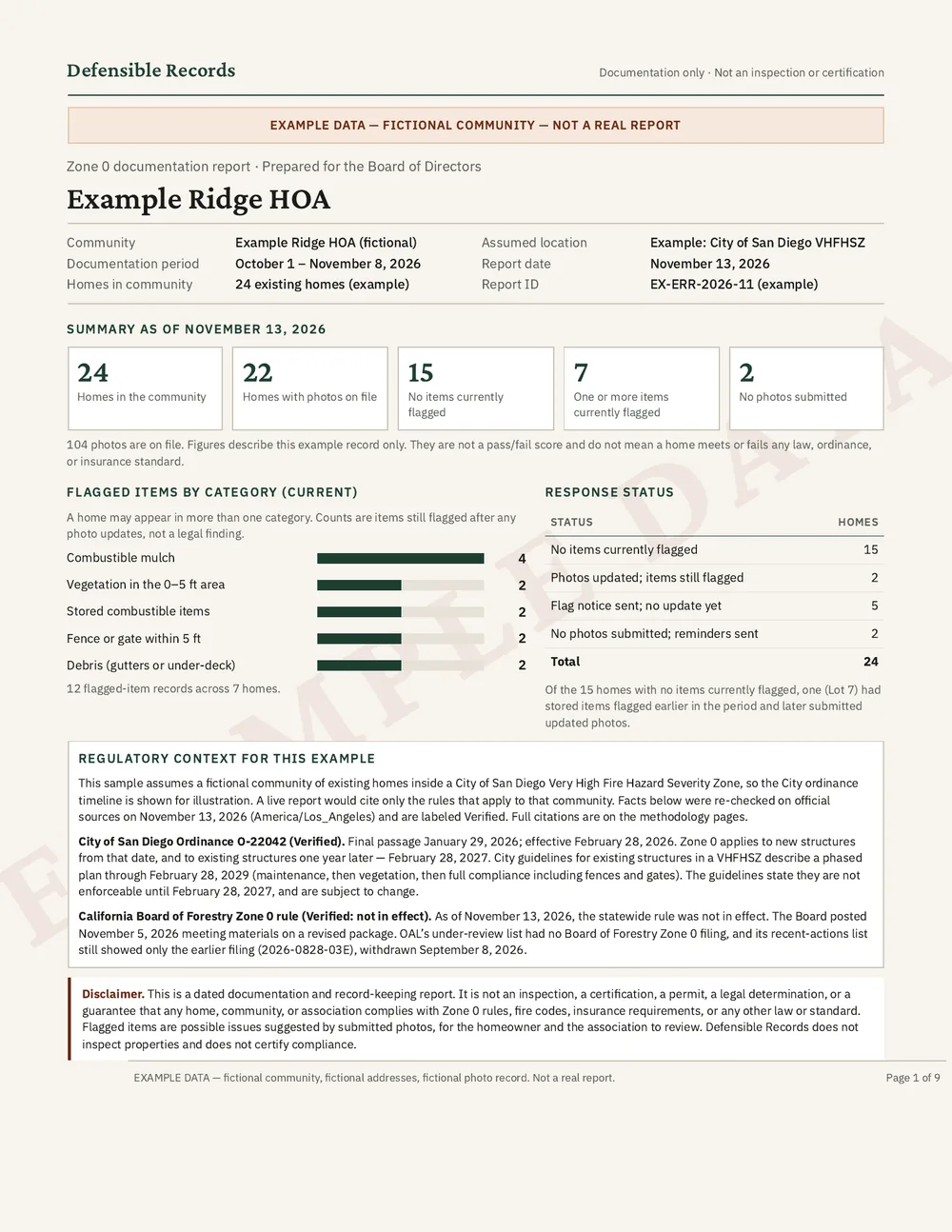
- Which homes have photos on file and which still need them
- Possible items suggested by the photos, by category, for the homeowner and association to review
- Who has been reminded and when
- Every photo dated, so the record shows what was there and when
Open the full example report (PDF)
Records describe what the photos show on a given date. They are not a pass/fail score, an inspection, or a certification.
Simple, per community
Homeowners don't pay. Price depends on the number of homes.
Try it free at one community for 60 days, then month to month.